



Improve conversion rates of your e-commerce site with trust badges
Investing in trust badges has increased conversion rates for e-commerce businesses and will surely be a good investment for you.
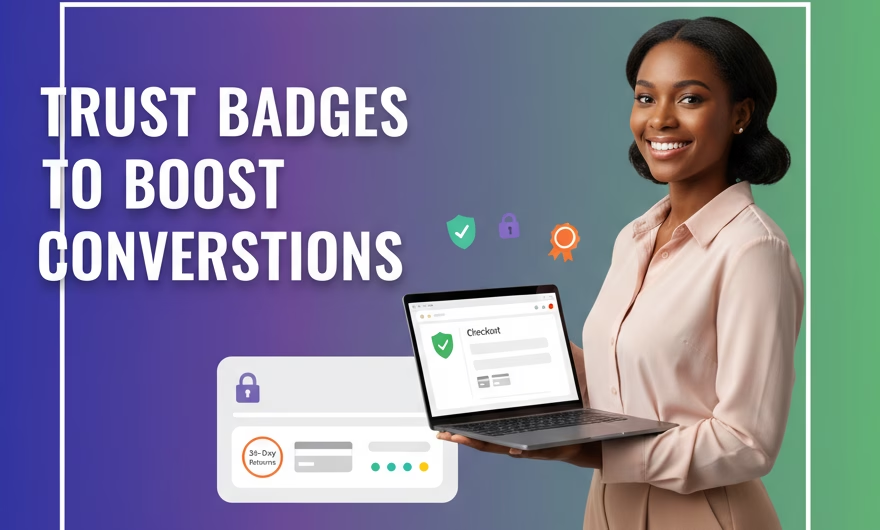
When it comes to e-commerce sites, trust badges act as visual cues that assure customers about the credibility, site security, and quality of your online store. They work by reducing anxiety, building confidence, and encouraging visitors to complete their purchases.
How trust badges help improve conversion rates
- Boost customer confidence: Trust badges communicate that your website is secure and reliable, helping customers feel safe sharing their personal and payment information. Visible seals from recognized security providers and payment networks serve as “shortcuts” that reassure shoppers instantly.
- Reduce cart abandonment: Many customers abandon carts due to security concerns. Placing trust badges on checkout pages and near payment forms can alleviate these concerns and encourage purchase completion. Clear guarantees and recognizable payment logos mitigate last-minute doubts when a customer is about to enter card details.
- Increase overall sales: Studies show trust badges can increase sales by up to 32-42% depending on badge type and placement. Results vary by industry, audience, and page layout, but the direction is consistent: increased perceived trust correlates with higher conversion.
- Enhance brand credibility: Displaying well-known badges from brands like Norton, McAfee, VeriSign, PayPal, or industry accreditations increases trustworthiness. Third-party validation signals that your store follows security and compliance standards beyond your own claims.
- Improve first impressions: Visitors form judgments about your site in less than a second; visible but subtle trust badges on your homepage and product pages help create an immediate sense of professionalism. The right seal near your primary call-to-action can nudge new visitors to continue exploring rather than bouncing.
Best practices to get results with trust badges
- Place badges prominently on checkout pages, payment sections, and product pages: The closer the badge sits to the point of friction (price, shipping, or payment fields), the more impact it tends to have. On multi-step checkouts, repeat the security messaging on the payment step and final review page.
- Use recognizable and industry-respected badges: Prioritize SSL/TLS site security seals, payment provider logos (Visa, Mastercard, PayPal, and local options your audience trusts), money-back guarantees, and compliance seals (such as PCI-related statements). Familiarity breeds trust.
- Combine multiple trust badges for a stronger effect: A balanced set — for example, a security seal plus accepted payment logos and a clear guarantee — addresses different concerns (safety, payment choice, and risk reversal). Keep the set compact to avoid clutter.
- Test different badge placements to find what converts best for your audience: A/B test variations such as above-the-fold vs. near the add-to-cart button, left vs. right column, and static vs. sticky positions. Measure not only conversion rate but also cart abandonment, average order value, and checkout completion.
- Ensure badges are kept up to date and functional: Only display seals you are certified to use. When possible, make security badges clickable to their real-time verification pages. Outdated or broken seals erode trust.
- Optimize badges for mobile devices: Use high-resolution, responsive images that remain legible on small screens without overwhelming the layout. Keep sufficient spacing so touch targets remain clear and avoid placing badges where they cause layout shifts.
- Maintain visual consistency: Use versions of badges that align with your site’s color palette and contrast standards. Avoid overly large or flashing elements; subtle but visible tends to outperform aggressive visuals in checkout flows.
- Prioritize performance and accessibility: Serve optimized images to prevent slowing down your pages. Add descriptive alt text for screen readers (e.g., “Secure checkout with SSL encryption”) to reinforce trust for all users.
- Localize when relevant: If you sell internationally, show payment and security logos recognized in each region. For example, display local wallet options or bank transfer marks alongside global card brands in countries where they are preferred.
- Be truthful and transparent: Never use fabricated or misleading seals. Any mismatch between claims and reality can quickly reduce trust and harm conversion rates.
Where trust badges work best
- Checkout pages: Place a security seal and accepted payment logos near the card fields and pay button. Add brief microcopy such as “Secure 256-bit SSL encryption” to reinforce safety at the exact moment of payment.
- Cart page: Include a concise guarantee badge (e.g., “30-day returns”) and payment logos to reassure shoppers before they proceed to checkout. This can reduce drop-offs at the transition point.
- Product pages: Near the price or add-to-cart area, show a small row of trust indicators: shipping and returns guarantees, warranty or authenticity badges, and key payment marks. Keep it compact to maintain focus on the primary CTA.
- Homepage and landing pages: Use a single security or accreditation seal above the fold and repeat trust indicators near major CTAs. For campaign landing pages, align badges with the specific offer (e.g., a guarantee badge on limited-time promotions).
- Site footer: A persistent set of small, unobtrusive trust badges in the footer provides sitewide reinforcement without crowding critical content areas.
Selecting the right badges
- Security seals: SSL/TLS and malware-scanning badges communicate data protection. Choose widely recognized providers and ensure the seal verifies correctly when clicked.
- Payment method logos: Display the exact payment types you accept. Recognition of familiar logos reduces friction for first-time buyers.
- Guarantees and policies: Money-back guarantees, free returns, and warranty badges reduce perceived risk. Pair the badge with a link to a concise, fair privacy policy.
- Industry accreditations and compliance: If your business holds certifications or belongs to reputable associations relevant to your category, their marks reinforce credibility. Use only those you legitimately hold and keep them current.
Measuring the impact on conversion rates
- Define success metrics upfront: Track conversion rate, checkout completion rate, cart abandonment, revenue per visitor, and bounce rate on key pages.
- Run clean A/B tests: Test one variable at a time (placement, size, or combination of badges) and run tests long enough to reach statistical confidence.
- Segment by device and traffic source: Badge readability and trust cues can perform differently on mobile vs. desktop and for new vs. returning visitors. Optimize per segment.
- Monitor qualitative signals: Combine analytics with session replays, heatmaps, and short on-site surveys to understand whether badges reduce hesitation at critical steps.
- Iterate, don’t set-and-forget: Refresh badges, adjust positions, and refine accompanying copy based on data. Small placement tweaks can produce meaningful lifts.
Common mistakes to avoid
- Overloading pages with too many badges: Crowding can look spammy and backfire. Curate a small, high-credibility set and place it where it matters most.
- Using outdated or low-resolution assets: Blurry or deprecated seals reduce trust. Always use the latest, high-quality versions provided by the issuer.
- Displaying irrelevant badges: Don’t show seals unrelated to the product or stage (e.g., a money-back guarantee far from pricing, or a security seal with no link to verification).
- Inconsistent messaging: If your badge promises “free returns,” ensure the policy is clearly stated and easy to find. Misalignment between badges and policies erodes credibility.
- Ignoring mobile hierarchy: On small screens, badges can push critical content down or cause accidental taps. Test on popular devices to keep the flow smooth.
Conclusion
Incorporating trust badges strategically is a low-cost, high-return tactic that directly impacts your store’s credibility and conversion rates. By placing recognizable, up-to-date badges near high-friction points, pairing them with clear guarantees and policies, and testing placements rigorously, you can reduce cart abandonment and give hesitant shoppers the confidence to complete their purchase. Keep the focus on authenticity, clarity, and mobile-friendly execution, and let data guide ongoing refinements. For e-commerce brands serious about improving trust badges conversion rates, a disciplined, customer-first approach will consistently translate trust into revenue.