



In today’s competitive business environment, optimizing customer service through effective ticketing insights is essential. Helpdesk reports and dashboards provide critical data that enable organizations to monitor, analyze, and improve their support operations. When designed thoughtfully and used consistently, they transform raw ticket data into actionable guidance for teams to respond faster, prioritize better, and elevate the customer experience.
To improve ticketing insights, organizations need both the right metrics and the right methods: a consistent data taxonomy, role-based dashboards, and a feedback loop that turns insights into operational change. As support becomes increasingly omnichannel and AI-assisted in 2025, the fundamentals remain the same—clear visibility into what customers need, where work stalls, and how teams can deliver value more efficiently.
Understanding Ticketing Insights
Ticketing insights come from systematic tracking and analysis of all support tickets including their volume, status, types, and resolution times. These insights help in identifying bottlenecks, workload distribution, agent performance, and customer satisfaction levels. Strong ticketing insight programs typically include:
- Consistent data structures: Standard ticket fields (issue type, priority, channel, product, tags) and clear definitions to avoid misclassification.
- Omnichannel consolidation: A single view across email, chat, social, messaging apps, and voice to prevent blind spots and double counting.
- Lifecycle visibility: Tracking each stage—from creation to resolution, including transfers, escalations, and reopens—to pinpoint where delays occur.
- Qualitative context: Notes, summaries, and sentiment signals alongside quantitative metrics to understand “why,” not just “what.”
- Governance and privacy: Clear ownership for data quality, access controls, and retention policies to keep insights reliable and compliant.
Benefits of Helpdesk Reports and Dashboards
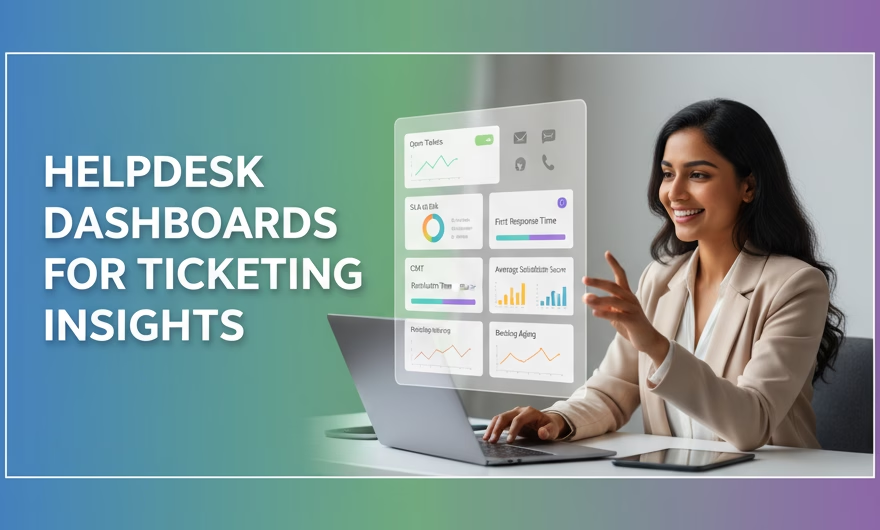
- Real-Time Monitoring: Dashboards offer live views of key metrics such as open tickets, response time, and resolution rates, helping supervisors take timely actions. Real-time alerts on SLA risks and spikes equip teams to reassign work, enable swarm support, and protect customer commitments.
- Trend Analysis: Historical data from reports illuminate trends in ticket volume, recurring issues, and peak support times, informing resource allocation and training needs. Trend views highlight seasonal patterns, product release impacts, and the effect of process changes on outcomes.
- Agent Performance: Reports assess individual and team performance through metrics like average handling time and customer feedback scores, aiding targeted coaching. Blending productivity, quality, and outcome measures prevents over-optimizing one area at the expense of customer experience.
- SLA Tracking: Alerts and reports help ensure that service level agreements (SLAs) are met, maintaining customer trust and contract compliance. Drill-downs by priority, channel, and issue type expose where SLAs are most at risk so leaders can refine routing, staffing, or playbooks.
Key Metrics to Track
Choosing the right KPIs is essential to improve ticketing insights. Track these core metrics and pair them with clear targets and definitions:
- Ticket Volume and Queues: Monitor total tickets, new vs. closed, and distribution by queue or category to balance workloads and identify hotspots.
- First Response Time (FRT): Measure the time from ticket creation to the first agent reply. Segment by channel and priority to spot uneven performance.
- Average Resolution Time (ART): Track time to full resolution. Analyze by issue type to find root causes and candidates for automation or knowledge articles.
- SLA Breach Rate: The percentage of tickets that miss SLA targets. Break down by team, product, and region to target improvements.
- Customer Satisfaction (CSAT) Scores: Capture customer feedback post-resolution. Tag feedback themes to link experience gaps to specific processes.
- Agent Utilization and Productivity: Combine volume handled, occupancy, and handle time to understand true capacity and avoid burnout.
- Escalation and Reopen Rates: High rates often indicate unclear processes, knowledge gaps, or premature closures that need coaching or workflow changes.
- Backlog and Aging: Track open tickets by age band (e.g., 0–24h, 1–3 days, 4–7 days, 7+ days) to ensure the oldest items receive attention.
- First Contact Resolution (FCR): The percentage of tickets resolved without follow-ups. Higher FCR generally correlates with better CX and lower costs.
- Channel Mix and Containment: Understand how many issues are solved in self-service or chat without escalation to a human. This informs deflection strategies and knowledge investments.
- Quality or QA Score: A calibrated review of ticket handling against standards (accuracy, empathy, compliance) to balance speed with quality.
For each metric, define owners, thresholds, and actions. Metrics drive value only when they trigger decisions—like staffing adjustments, revised macros, or an updated knowledge article.
Best Practices to Enhance Ticketing Insights
- Customize Dashboards: Tailor dashboard views to different roles, such as agents, supervisors, and managers to focus on relevant KPIs.
- Agents: personal queue, due soon, SLA at risk, recent CSAT.
- Team leads: volume trends, backlog aging, FCR, escalations, coaching flags.
- Executives: CX outcomes (CSAT/FCR), cost and efficiency trends, major drivers of contact demand.
- Automate Reporting: Schedule periodic reports to maintain updated insights without manual effort, ensuring constant visibility.
- Use daily operational snapshots for action and weekly/monthly reviews for strategy.
- Automate anomaly alerts (e.g., sudden spike in reopen rates) so teams can respond before issues snowball.
- Integrate Omnichannel Data: Consolidate tickets from various channels — email, chat, social media, phone calls — to get a holistic understanding.
- Normalize fields across channels to enable apples-to-apples comparisons.
- Include call dispositions, chat transcripts, and message threads for full context and better root-cause analysis.
- Leverage AI and Automation: Use AI-powered analytics for sentiment analysis, ticket tagging, and predictive reporting to surface hidden patterns.
- Auto-categorize and prioritize tickets based on content, urgency, and customer profile.
- Summarize long threads for faster handoffs and escalations, improving resolution consistency.
- Predict SLA risk and recommend next-best actions to preempt breaches.
- Continuous Improvement: Regularly review reports to identify training needs, process inefficiencies, and opportunities for customer experience enhancement.
- Run periodic deep dives on your top contact drivers; fix upstream causes (product, policy, UX) to reduce demand.
- Close the loop by updating macros, workflows, and knowledge content based on insights and agent feedback.
Utilizing Advanced Helpdesk Solutions
Modern helpdesk platforms like Ameyo by Exotel provide unified dashboards combining ticket management, customer interaction history, and AI-based routing and prioritization. These capabilities help teams improve response quality, reduce resolution time, and increase customer satisfaction by focusing on high-impact tickets first. As of 2025, leading platforms commonly offer:
- Unified case and conversation views: A single place to see past interactions, current context, and related tickets for faster, more accurate responses.
- Intelligent routing and prioritization: Skills-based and AI-assisted routing that accounts for customer priority, sentiment, and SLA risk.
- Embedded knowledge and macros: Contextual suggestions that enable consistent, compliant answers and improve FCR.
- Proactive alerts and forecasting: Automated detection of volume spikes, backlog growth, and SLA threats, with recommendations for staffing and deflection.
- Quality and compliance tooling: Conversation analytics, redaction, and QA workflows to reinforce both performance and trust.
- Open integrations: Connectors to CRM, billing, order management, and monitoring tools so ticket insights reflect the full customer journey.
To get the most from these capabilities, align tool configuration with your operating model: define clear taxonomies, map SLAs to priorities, and embed dashboards into daily standups and weekly reviews. This ensures insights are not just visible—they are acted on.
Conclusion
Helpdesk reports and dashboards are indispensable tools for creating actionable ticketing insights. By monitoring essential metrics and employing data-driven strategies, organizations can streamline support, optimize agent performance, and drive superior customer experiences. To improve ticketing insights in 2025, standardize your data, focus dashboards by role, automate alerts and reporting, unify omnichannel context, and apply AI where it accelerates clarity and action. With disciplined execution and the right platform foundation, every ticket becomes a signal you can learn from—and a chance to deliver faster, better, and more empathetic support.