



Picture this.
An agent is on a complex billing call. The customer is confused about a charge, mildly frustrated, and referencing a promotion they signed up for three months ago.
Without looking anything up, the right policy document appears on the agent’s screen. A suggested next action pops up: “Offer to apply the promotional discount retroactively — customer qualifies based on tenure.” A sentiment indicator in the corner shows the customer’s mood is dipping toward impatient. Meanwhile, in the background, the CRM is automatically updating the interaction record so the agent won’t have to do after-call paperwork.
The agent resolves the issue in half the usual time. The customer hangs up satisfied. The agent moves on to the next call without filling out a single form.
This isn’t science fiction. This is what happens when an AI copilot works alongside a human agent in real time.
So far in this series, we’ve focused on how AI and humans divide the work — bots handling the routine 80%, humans taking the meaningful 20%. But AI–human harmony isn’t only about bots knowing when to yield to humans. It’s equally about making humans radically more effective when they’re the ones in control.
That’s where Agent Assist comes in. And in Exotel’s Harmony Platform, it’s one of the most impactful capabilities we’ve built.
What Is Agent Assist (And What Isn’t It)?
Let’s clear up a common misconception first. Agent assist is not a chatbot for agents. It’s not a search bar that agents can type questions into during calls. And it’s not a static cheat sheet pinned to their desktop.
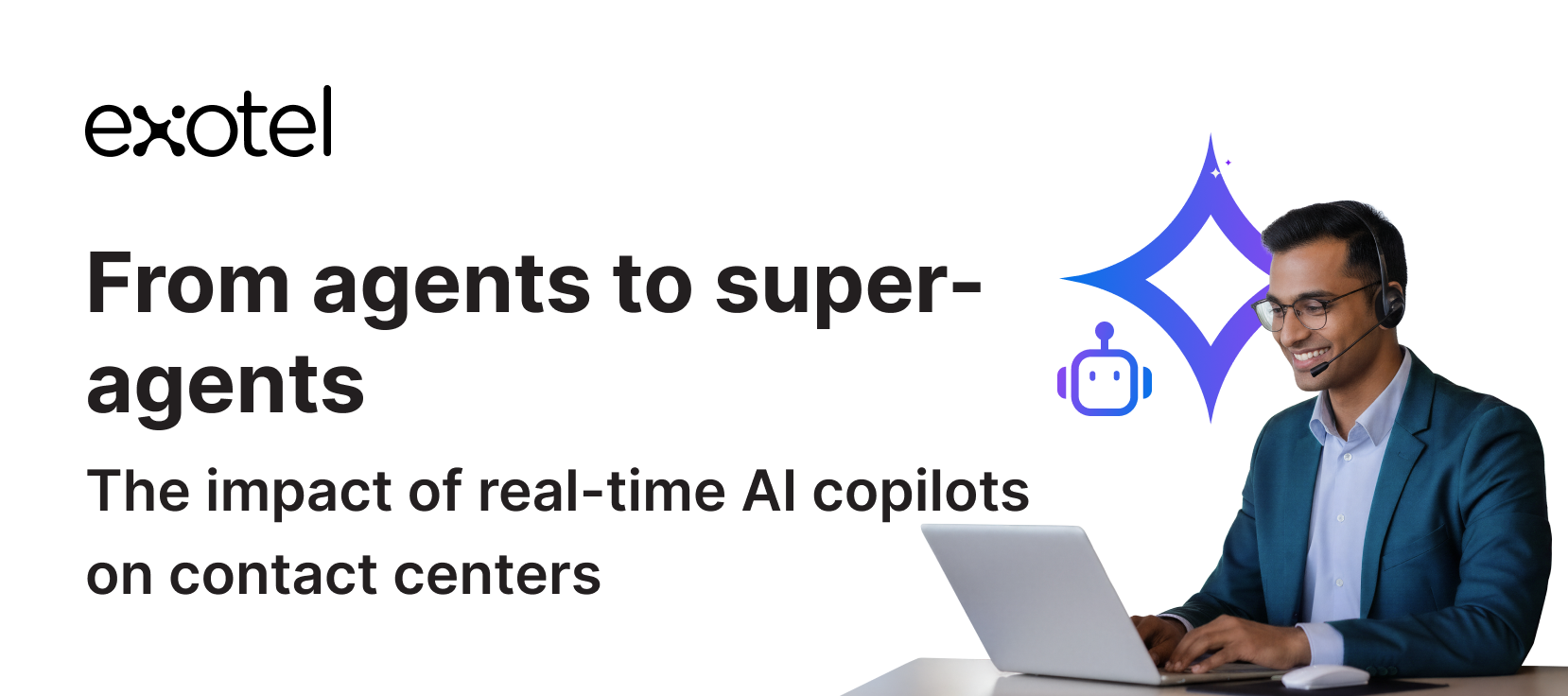
Agent assist is a real-time AI copilot that works alongside the human agent during live customer interactions — listening, understanding, and proactively surfacing information, suggestions, and automations without the agent having to ask for them.
The distinction matters. A search tool is reactive — the agent has to recognise they need information, formulate a query, scan results, and decide what’s relevant. All while the customer is waiting. An AI copilot is proactive — it understands the conversation in real time and delivers the right information at the right moment, before the agent has to think about it.
The agent always stays in control. They can accept a suggestion, ignore it, or modify it. The copilot assists; it doesn’t dictate. Think of it as the difference between having a GPS that shows you the route, and having a passenger who occasionally grabs the steering wheel. Agent assist is the GPS.
Five Capabilities That Turn Agents into Super-Agents
Harmony’s agent assist isn’t a single feature. It’s a suite of real-time capabilities that work in concert, all powered by the same shared context layer (CCDP) that underpins the rest of the platform. Here’s what each one does and why it matters.
01. Live Transcription & Real-Time Call Summary
As the conversation unfolds, the agent sees an auto-generated summary of the call updating in real time. For voice calls, the system transcribes the conversation and highlights key points. For chats, it summarises the thread. The agent has a running digest of “what’s the situation right now” — not a wall of text, but a structured, evolving summary of the core issue, decisions made, and current status.
In practice: An agent picks up a transferred call mid-conversation. Instead of asking the customer to repeat everything, they glance at the live summary: “Customer called about incorrect charge on Feb statement. Bot verified identity and confirmed the charge is from merchant X. Customer disputes it — says they cancelled the subscription.” The agent starts with full context in seconds.
02. Contextual Knowledge Base Suggestions
Harmony surfaces relevant knowledge base articles, FAQs, troubleshooting guides, and policy documents based on the live conversation context. The suggestions are dynamic — as the conversation evolves or the customer’s intent becomes clearer, the recommendations update. The agent has information at their fingertips without hunting for it.
In practice: A customer says, “My internet has been down since last night.” The agent assist quietly pulls up the connectivity troubleshooting guide, the regional outage status page, and the escalation procedure for prolonged outages. The agent didn’t search for any of this — it appeared because the AI understood the conversation context.
03. Next-Best Action (NBA) Recommendations
Beyond static knowledge, the AI suggests specific actions the agent can take next. These aren’t just answers to questions — they’re prompts for the agent to do something. Initiate a refund. Schedule a technician. Apply a discount. Escalate to a specialist. Create a support ticket. The recommendations are generated by analysing the current situation against successful resolutions from past interactions.
In practice: During a billing call, the AI suggests: “Offer to waive the late fee — customer has an 18-month history with no previous disputes.” The agent can accept the suggestion with a click, modify the amount, or dismiss it. Either way, they didn’t have to look up the customer’s tenure or calculate eligibility — the AI did the work.
04. Sentiment & Emotional Cues
The agent assist displays real-time indicators of customer sentiment and engagement level. Drawing from the CCDP’s “vibe” dimension, it uses a simple visual system — colour codes or icons — to signal how the customer is feeling. If sentiment is positive, the agent knows they’re on track. If it turns negative, they get a prompt to adjust their approach. Think of it as an emotion meter for the call.
In practice: Midway through a support call, the vibe indicator shifts from green to orange. The customer hasn’t said anything explicitly negative, but the AI has detected a change in tone and pacing. The agent adjusts: “I want to make sure we get this resolved for you today — let me take a closer look.” The shift in approach prevents the frustration from escalating. Without the cue, the agent might not have noticed until the customer was already upset.
05. Parallel Workflow Automation
While the agent focuses on the conversation, the AI performs automated tasks in the background. If the customer confirms a new address, the AI updates the CRM. If the agent promises an email follow-up, the AI drafts the email. If a support ticket needs to be created, the AI pre-fills the fields. These micro-automations eliminate after-call work and reduce the clerical burden that eats into agent productivity.
In practice: During a call, the customer confirms they’ve moved to a new address. The agent doesn’t pause the conversation to navigate to the CRM and update the field manually. The AI catches the address from the transcript and updates it automatically. When the call ends, there’s no after-call work to do — the record is already current.
Why These Five Capabilities Matter Together
Any one of these features is useful in isolation. But the real power comes from having all five running simultaneously on the same conversation, powered by the same real-time context.
Consider what happens when an agent handles a complex call with the full suite active:
- The live summary keeps them oriented as the conversation moves through multiple topics.
- The knowledge base surfaces the right information at each stage without the agent searching.
- The NBA recommendations guide them toward the best resolution based on data they’d never have time to look up manually.
- The sentiment indicator alerts them if the customer’s mood is shifting.
- The workflow automation handles the administrative aftermath in real time.
The agent’s entire cognitive load is reduced to one thing: having a good conversation with the customer. Everything else — information retrieval, decision support, emotional awareness, administrative tasks — is handled by the copilot.
This is what turns a competent agent into a super-agent. Not by asking them to work harder or faster, but by removing every obstacle between them and the customer.
The Feedback Loop: Agents Train the AI Too
A critical design principle in Harmony’s agent assist is that the relationship between AI and agent is bidirectional. The AI helps the agent. And the agent helps the AI get better.
Here’s how:
- Thumbs up / thumbs down: On every suggestion the AI surfaces — a knowledge article, a next-best action, a sentiment reading — the agent can give quick feedback. A thumbs up confirms the suggestion was helpful. A thumbs down flags it as irrelevant or wrong. This takes less than a second and doesn’t interrupt the conversation.
- Suggestion refinement over time: If agents consistently mark a particular knowledge article as irrelevant for a certain type of query, the system learns to stop surfacing it in that context. If a next-best action is frequently accepted, its confidence score rises and it gets surfaced earlier. The AI’s recommendations become more personalised to what actually helps your agents, not what a generic model thinks should help.
- Content quality signals: When agents repeatedly bypass a suggested article in favour of a different one, or when they modify a suggested response before sending it, those patterns signal gaps in the knowledge base. The platform surfaces these gaps so content teams can update or create the right resources.
This feedback loop is part of the broader Kaizen cycle we described earlier in the series. Every interaction where an agent uses (or doesn’t use) the AI’s suggestions is a data point that makes the system smarter. Over weeks and months, the copilot evolves from a generic assistant into a tool that knows your business, your customers, and your agents’ working styles.
Omnichannel by Design: One Copilot Across Voice, Chat, and Messaging
A common pitfall in agent assist deployments is building separate tools for separate channels. One system for voice, another for chat, a third for WhatsApp. Each with its own logic, its own knowledge base, its own UI. Agents working across channels have to learn multiple tools, and the quality of assistance varies depending on the channel.
Harmony’s agent assist is a single engine that works identically across voice calls, web chat, WhatsApp, and SMS. The same context layer powers it. The same knowledge base feeds it. The same feedback loop improves it. The agent experience is consistent regardless of channel.
In chat and messaging scenarios, the copilot can do a few things that are uniquely powerful:
- Auto-suggested reply drafts: The AI generates a draft response based on the conversation context. The agent can send it with one click, or edit before sending. This dramatically speeds up text-based interactions while keeping the human in control of the final message.
- Tone adjustment: If an agent’s draft sounds too formal, too casual, or too curt for the context, the AI can suggest a more appropriate phrasing. This is especially useful for agents who are excellent problem-solvers but may not be native speakers or strong writers in the customer’s language.
- Real-time translation: In multilingual operations (common across India, Southeast Asia, and the Middle East), the AI can translate between languages on the fly. An agent more comfortable in English can serve a customer writing in Hindi, Tamil, or Arabic, with the AI translating in both directions. The customer writes in their preferred language and receives responses in their preferred language — without the agent needing to be fluent.
This omnichannel consistency means the quality of agent assistance doesn’t depend on which channel the customer chose. Whether someone calls, messages, or chats, the agent behind the screen has the same copilot, the same context, and the same tools. That’s how you deliver consistent CX at scale.
Measuring the Impact: What Changes When Agents Have a Copilot
The business case for agent assist is measurable across multiple dimensions:
| Metric | Without Agent Assist | With Agent Assist |
|---|---|---|
| Average Handle Time | Agent manually searches for information, navigates systems, and completes after-call work | AI surfaces information proactively and automates admin tasks. AHT reduced by up to 25% |
| First-Call Resolution | Agent relies on memory and manual lookup. Complex cases often require callbacks | AI provides relevant knowledge and NBA recommendations in real time. FCR improves significantly |
| New Agent Ramp-Up | New hires take weeks to learn systems, policies, and best practices | AI copilot guides new agents with real-time suggestions from day one. Ramp-up time compressed |
| Agent Burnout | Agents spend majority of time on information retrieval and administrative work | Cognitive load shifts to conversation quality. Agents report higher satisfaction and less tedium |
| Quality Consistency | Quality varies by agent experience, mood, and workload | AI ensures every agent has access to the same knowledge and best practices. Quality floor rises |
| After-Call Work | Agents spend 2–5 minutes post-call updating records, writing notes, creating tickets | Parallel automation handles updates in real time. After-call work approaches zero |
The compound effect of these improvements is substantial. When agents spend less time searching, less time on admin, and less time ramping up, the entire operation becomes more efficient without requiring anyone to work harder. They’re simply working with better tools.
And because the copilot improves through the feedback loop, these gains aren’t static. The agent assist in month six is measurably better than in month one, because six months of agent feedback and interaction data have refined its recommendations.
The Agent’s Job Is Changing. The Copilot Makes It Better.
There’s a narrative in the industry that AI is coming for agent jobs. We think the reality is more nuanced and more optimistic than that.
AI isn’t replacing agents. It’s changing what the agent’s job looks like. With a copilot handling information retrieval, decision support, and administrative tasks, the agent’s role shifts from “answer machine” to “expert problem solver and relationship builder.” They’re freed to do the parts of the job that require uniquely human skills: empathy, judgment, creativity, and connection.
That’s not a diminished role. It’s an elevated one.
And the results speak for themselves. Faster resolutions. Higher satisfaction. Less burnout. Better quality. Lower ramp-up time. The copilot doesn’t make agents redundant — it makes them exceptional.
That’s what we mean by super-agents. Not superhuman. Just human — with the right AI partner.
This is the fifth article in our AI–Human Harmony series. Next up: why monitoring 3% of calls is no longer enough — and how AI-powered quality monitoring analyses 100% of customer conversations.
Frequently Asked Questions
What is AI agent assist in a contact center?
AI agent assist is a real-time copilot that works alongside human agents during live customer interactions. It proactively surfaces relevant information, suggests next-best actions, displays customer sentiment, and automates administrative tasks — without the agent having to search for anything. Unlike a search tool, agent assist is proactive: it understands the conversation context and delivers the right support at the right moment.
What can an AI copilot do during a live customer call?
During a live call or chat, an AI copilot provides five core capabilities: live transcription and real-time call summaries, contextual knowledge base article suggestions, next-best-action recommendations based on past successful resolutions, real-time customer sentiment indicators, and parallel workflow automation (CRM updates, email drafts, ticket creation) that eliminates after-call work.
What is next-best-action in customer service?
Next-best-action (NBA) is an AI-generated recommendation that suggests the specific action an agent should take next during a customer interaction. Unlike static knowledge articles, NBA recommendations are dynamic and action-oriented: “Offer to waive the late fee,” “Schedule a technician visit,” “Apply the promotional discount.” They’re generated by analysing the current situation against patterns from successful past resolutions.
Do agents have to follow the AI copilot’s suggestions?
No. Agent assist is designed to be non-intrusive. Agents can accept, ignore, or modify any suggestion. They can also provide quick feedback (thumbs up or thumbs down) on each recommendation, which feeds back into the system to improve future suggestions. The agent always retains full control of the conversation.
How does agent assist work across different channels?
Harmony’s agent assist is a single engine that works identically across voice calls, web chat, WhatsApp, and SMS. In text-based channels, it adds additional capabilities like auto-suggested reply drafts, tone adjustment, and real-time language translation — enabling agents to serve customers in languages they may not be fluent in.
How does agent assist reduce after-call work?
While the agent focuses on the conversation, the AI performs administrative tasks in parallel: updating CRM records, drafting follow-up emails, pre-filling support tickets, and logging interaction notes. By the time the call ends, the after-call work is already done. This can eliminate 2–5 minutes of post-call admin per interaction.