
CQA always had the score. What was missing was the race. An agent finishes a day at 78% and the number sits on a private report card. There is no peer to beat, no podium to chase, and little reason to open CQA again tomorrow just to see if they moved.
Agent Leaderboard turns those same scores into healthy competition. Under WORK › Leaderboard, agents play a shared board ranked by average quality score. They see their name on the ladder, climb places overnight, and protect a streak when quality keeps rising. Supervisors and admins get the same board as a secondary view of who is ahead across the floor on company quality KPIs.
The gap: a score without a race
Without peers, a score is just a grade. Agents cannot tell if 78% is strong for the floor, who is setting the pace, or whether they climbed or slipped since yesterday. There is no shared race to join and no streak to keep. Supervisors who want a floor-wide ranking often rebuild it from exports and filters.
Contact centers that care about adoption need the game inside the product agents already use: a ladder to climb, a name on the board, and a reason to come back daily.
What Leaderboard adds
Leaderboard is the game layer on top of CQA quality scores, built for agents first.
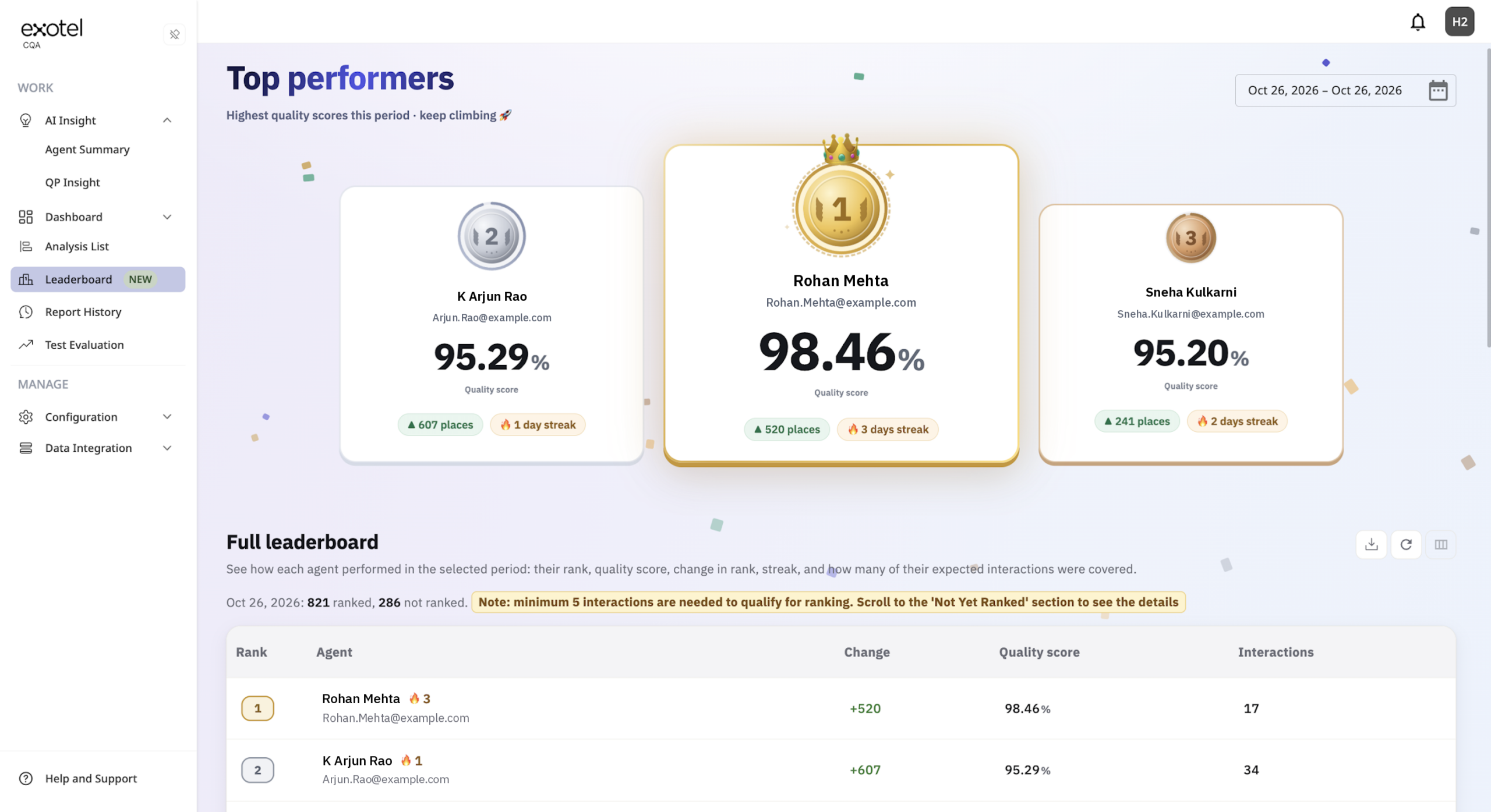
Compete on one clear score. Everyone ranks by average quality score for the date range you pick. Use the shared CQA date picker: quick presets such as Yesterday, Last 7 days, Last 14 days, Last 30 days, Last calendar week, and Last calendar month, or choose any custom range on the calendar. The board uses the same analyses as Analysis List, so the race is fair and familiar. Match a morning stand-up or a monthly review, and the podium updates with that window.
Climb the ladder. Gold, silver, and bronze mark the top three. The full table shows Rank, Agent, Change (places up or down versus the previous day), Quality score, and Interactions. Moving up a place is visible progress. Dropping overnight is visible too. That is the peer race in motion.
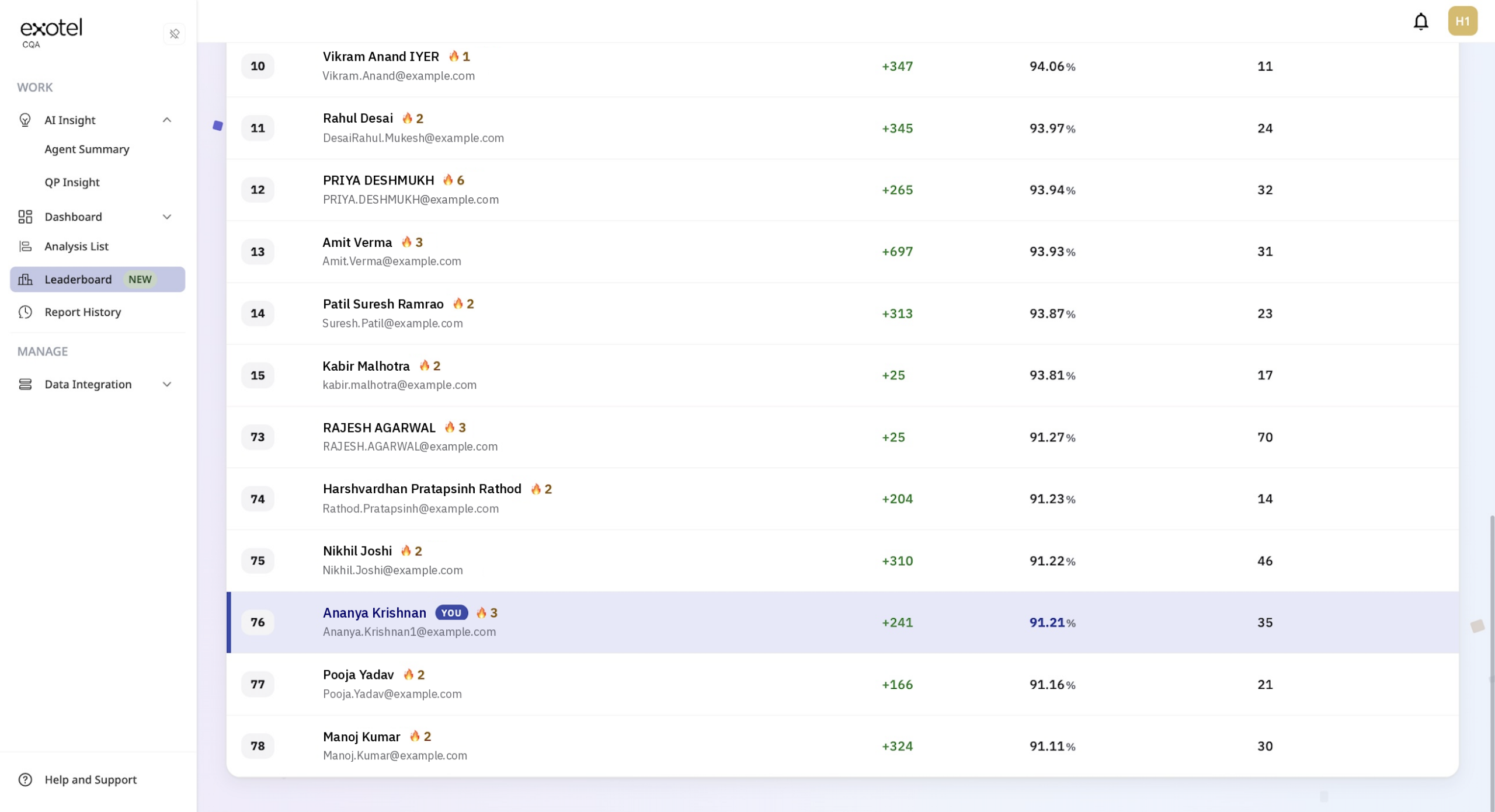
See your name on the board. Each agent’s row is highlighted as You, with a line such as “You are #4 of 120 ranked agents.” Standing stops being abstract. Your name sits next to your peers, which is where personalization starts, and where richer AI personalization can build later.
Keep the streak. When an agent’s score trends up day over day, a streak badge shows it. That is the daily loop: check yesterday’s streak, protect it on today’s calls, open the board again tomorrow.
How the board works
Fair play: the eligibility bar
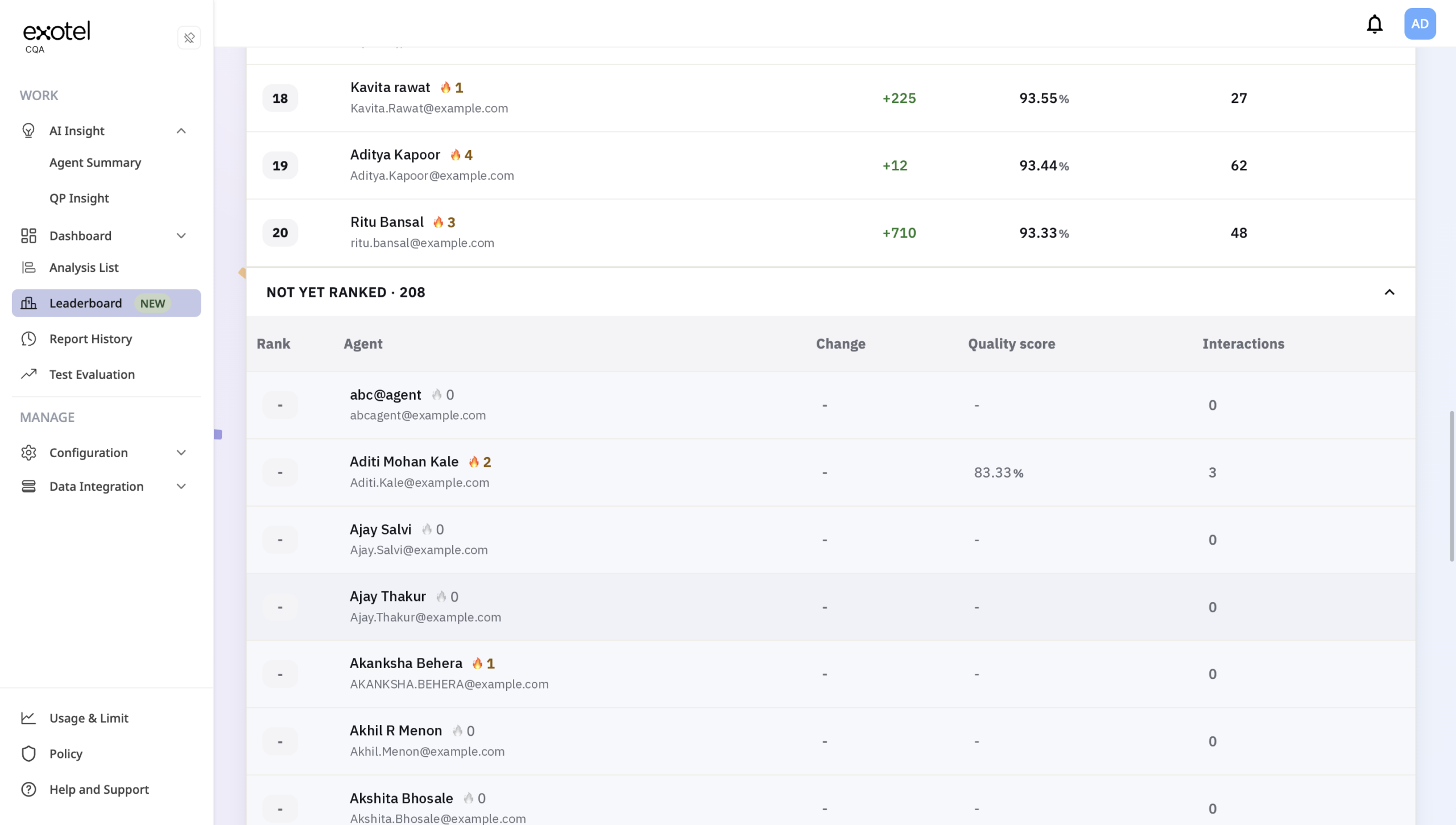
Agents join the ranked list after a minimum number of evaluated interactions in the period. The minimum is tenant-configurable and shown on the page, so thin samples stay off the podium. Agents still building volume show under Not yet ranked and in the download.
What agents see
The board is personal. Your row is labeled You. The count line states your standing in plain language. If you are below the minimum, the page tells you how many more interactions you need to enter the race.
What supervisors and admins see
Supervisors and admins open the same page for a cross-team view of who is ahead on quality KPIs: the top 20, Not yet ranked, and a CSV / Excel download of ranked and not-yet-ranked agents for huddles and reviews.
Empty states
If there are no agents, no interactions in the period, or nobody past the minimum yet, the page says so and suggests a longer period when that helps.
How to use it
If Leaderboard is enabled, it sits under WORK in the left nav.
- Open WORK › Leaderboard.
- Open the date control, pick a preset or a custom range on the calendar, and confirm.
- Agents find You and check rank, change, and streak. Supervisors and admins use the podium, table, Not yet ranked, or download for the cross-team view.
Every new analyzed interaction feeds the same race. There is no side scorecard to maintain.
Try it in CQA
Agent Leaderboard is live. Open WORK › Leaderboard, or read the full page guide: Leaderboard documentation.
If you do not see it in the menu, contact your account manager or CQA Support to confirm enablement.